.png)
Confluence
Connect Confluence as a Knowledge Source
Connect Confluence Cloud or Confluence Server to your AI Agent so it can search and cite your documentation when answering questions.
Before you start
Make sure your Confluence account is linked to Enjo. If it isn't please refer to connect confluence app guide for:
Steps:
Step 1: To add a Confluence knowledge source to an AI Agent:
Log in to the Enjo dashboard.
Click AI Agents in the left sidebar.
Select the AI Agent you want to configure.
Click Add Knowledge, then select 'Apps' from the dropdown.
Choose Confluence Cloud or Confluence Server under From External App.
Step 2: Connect Confluence Cloud
Select your confluence cloud connections and click next.
Set the visibility:
- Workspace: makes the connection available to all AI Agents.
- Restricted: limits the connection to a specific AI Agent.
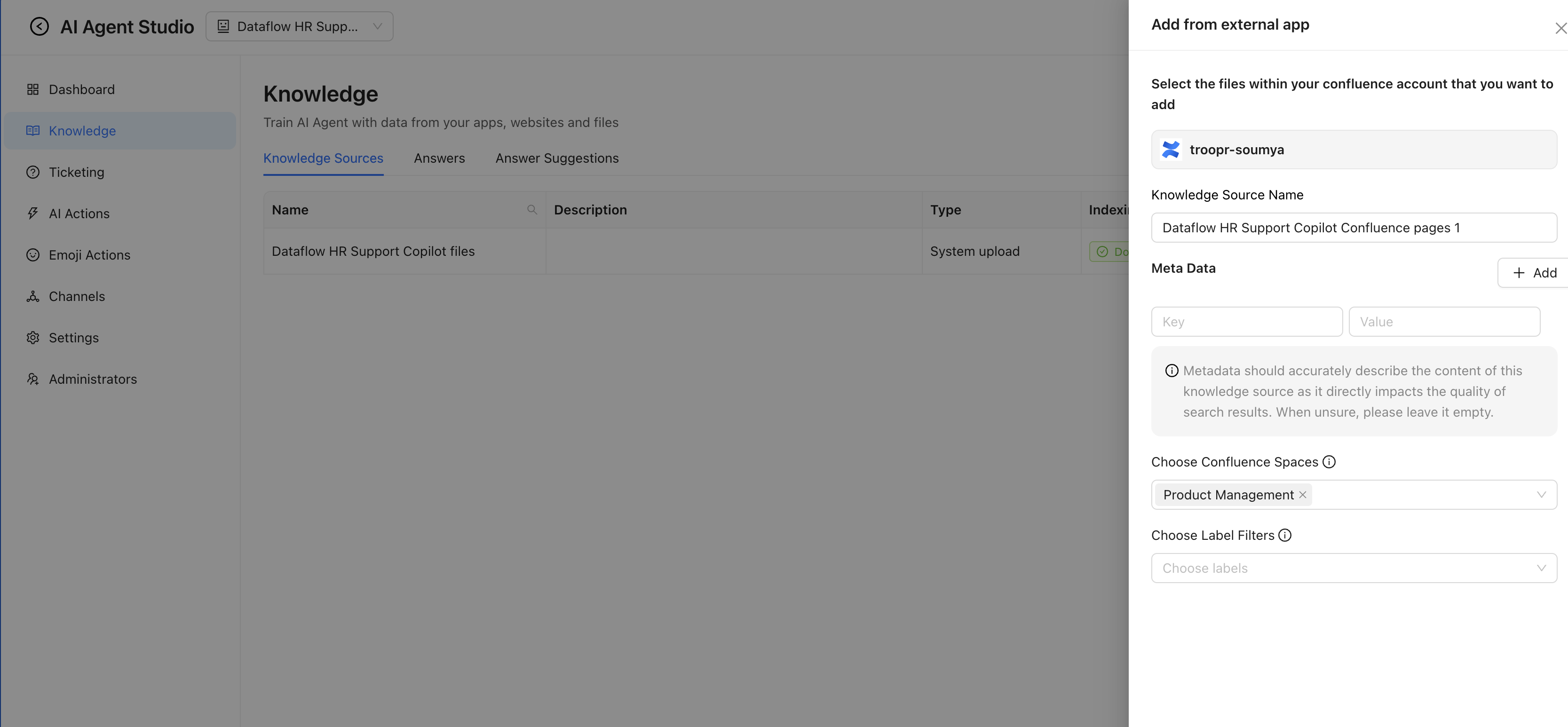
Step 3: Specify the Confluence spaces and labels you want Enjo to index.
Enjo will index documents from those spaces that match the selected labels and use them to ground AI responses.
Once indexing is complete, you can view all indexed documents under the Knowledge Sources tab.