.png)
Slack as a Knowledge Source
This process explains how to connect your Slack workspace to Enjoy so that your AI support agent can operate directly within Slack. Follow the steps below to configure and authorize the integration.
Steps:
Step 1: Log in to the Enjo dashboard and go to Settings.
Step 2: Open the Knowledge tab.
Step 3: Click Add Knowledge -> Apps and select Slack From External App.
Step 4: Specify the channels and time range and start indexing.
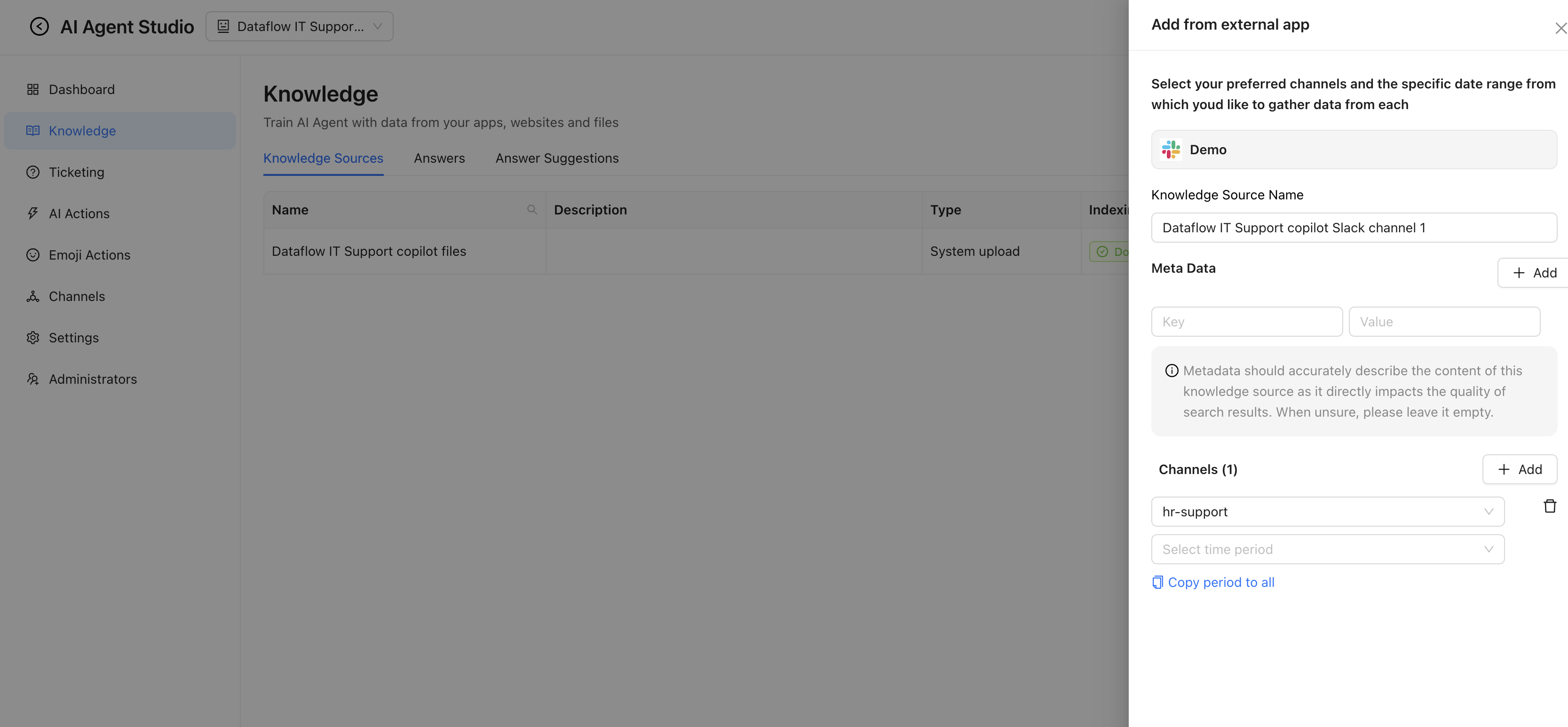
💡 Enjo will train on your Slack knowledge base from the specified Slack channels in the selected time period. You will be able to see the indexed channels under the 'Knowledge Sources' tab.