
Files
In this article, you will learn how to upload documents from your device and add them as a knowledge source for your AI Agent, so the agent can search and cite that content when responding to requests.
Steps:
Step 1: Open the Knowledge tab
Navigate to AI Agents and select the agent from the dropdown. Click the Knowledge tab.
Step 2: Upload your documents
Click Add Knowledge Source and select Upload Files. You can upload PDF, DOCX, and audio files. See supported file types for the full list of accepted formats and size limits.
💡 Tip: Uploaded files are ingested once at the time of upload. If the source document changes, re-upload the updated version to keep the agent's knowledge current.
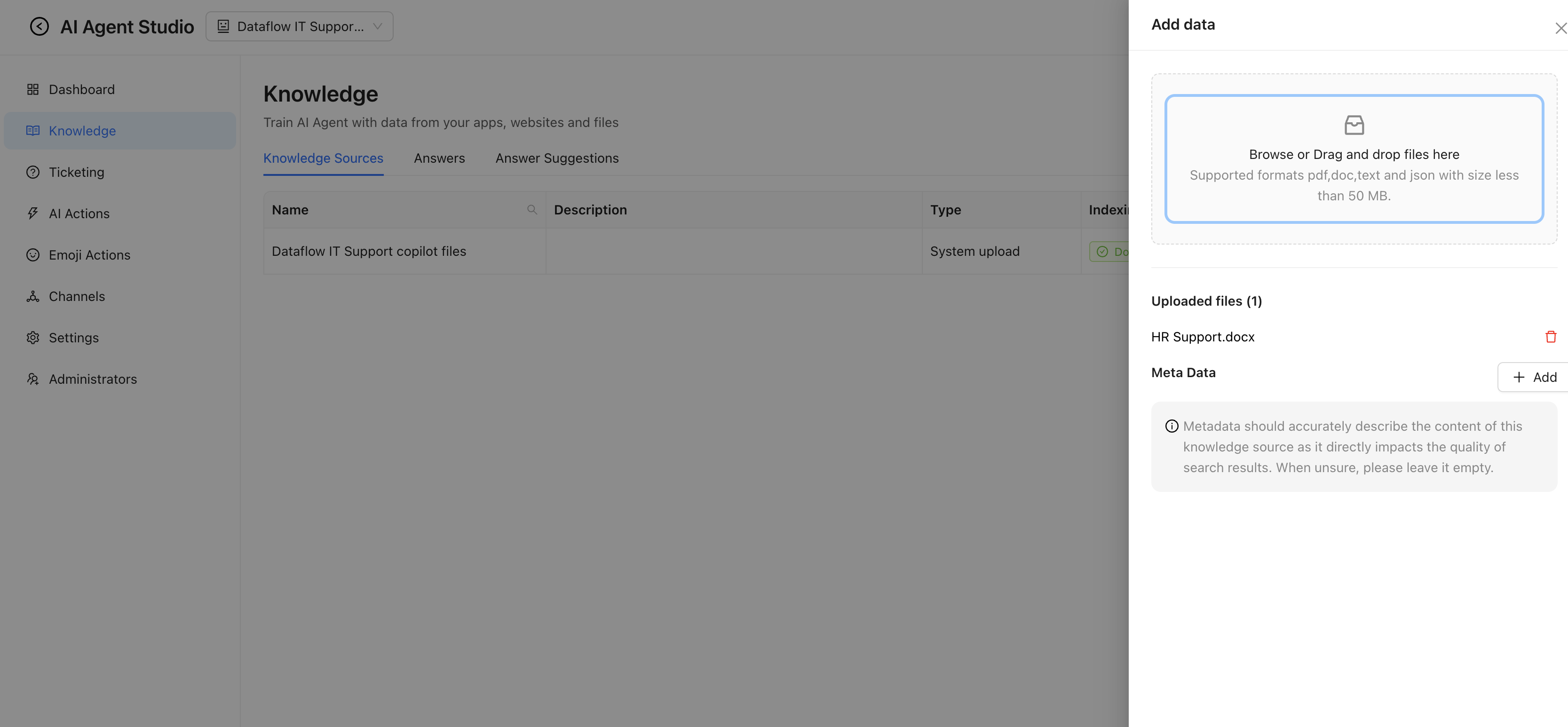
Enjo indexes the uploaded files and makes them available as a knowledge source. The agent searches this content when generating responses. You can view indexed files under the Knowledge tab.
💡 Tip: For content that updates frequently, consider connecting a live integration such as Confluence, Google Drive, or SharePoint instead of uploading files manually. These sources sync on a daily schedule. See Knowledge Source Integrations.
What's next
Guidelines for Knowledge Base Articles — structure your content so the agent can find and cite it accurately.
Connect a Knowledge Source Integration — sync content automatically from Confluence, Google Drive, SharePoint, and other platforms.