Performance Insights
Performance Insights provides visibility into the efficiency and effectiveness of AI Agent operations across your Enjo workspace. It enables administrators to track automation outcomes, identify optimization areas, and measure AI Agent contributions to support deflection and acceleration over time.
Accessing Performance Insights
Log in to the Enjo Dashboard.
Navigate to: Insights → Performance.
Use the Filter in the upper-left corner to:
Select the AI Agent to analyze.
Choose the time range for the report.
Permissions: Only workspace administrators and users with access to the selected View Reports Permissions can view Performance Insights.
Available Metrics
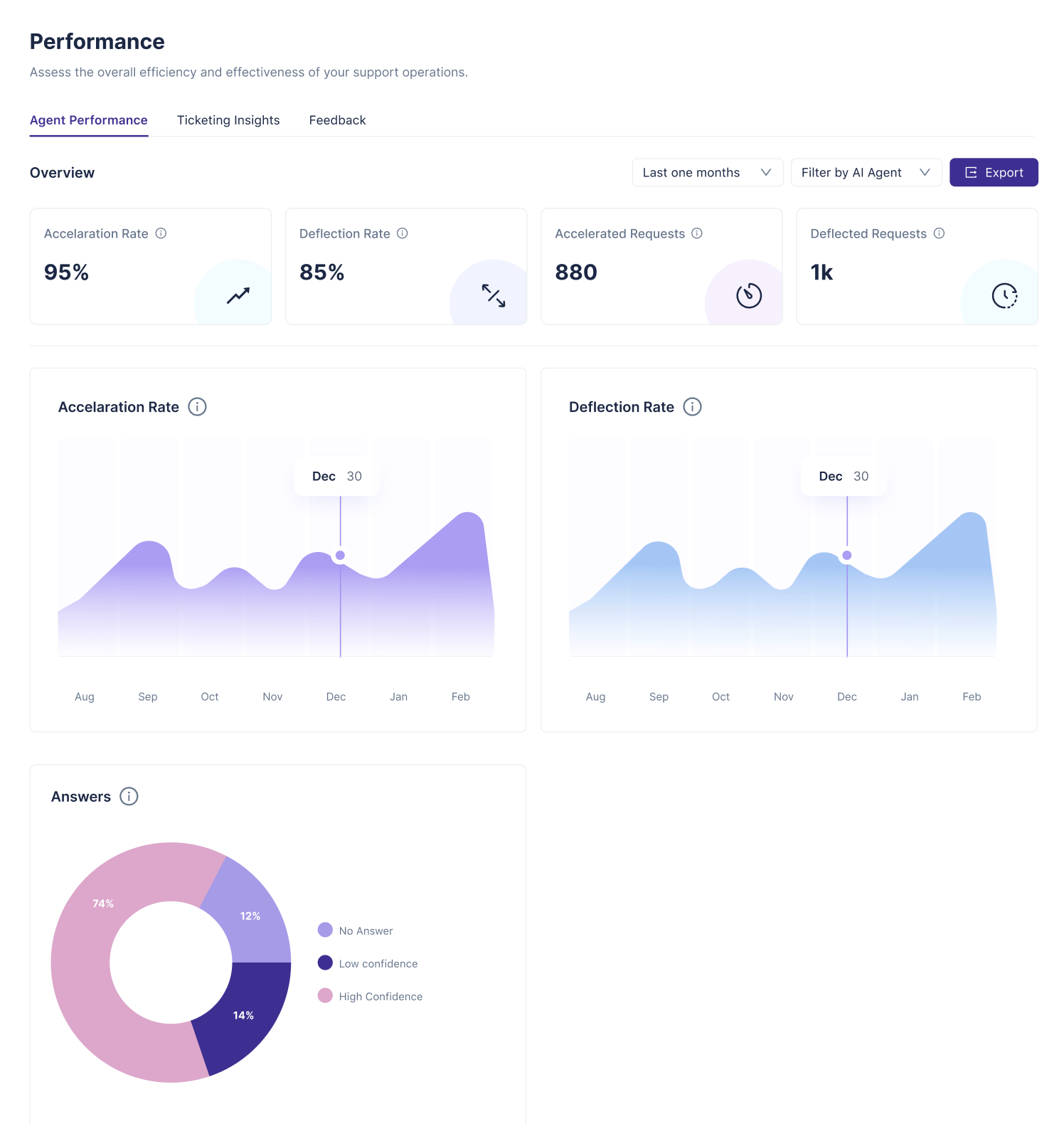
Deflection Requests Number of queries resolved fully by the AI Agen
Deflection Rate Percentage of conversations where the AI Agent delivered a confident and sufficient response that led to resolution.
Acceleration Requests Number of queries where the AI Agent provided a helpful response that accelerated the resolution, even if it did not fully resolve the issue
Acceleration Rate Percentage of conversations where the AI Agent assisted meaningfully in progressing the issue toward resolution.
Visual Charts
Deflection Chart Line chart showing monthly trends of conversations successfully deflected by the AI Agent over the selected time period.
Acceleration Chart Line chart showing monthly trends of conversations where the AI Agent gave helpful (but not fully sufficient) responses over the selected time period.
Confidence Distribution (Pie Chart) Visual breakdown of distribution of AI responses by confidence level:
High Confidence: AI responses with greater then 80% threshold
Low Confidence: AI responses with less than 80% threshold.
No Answer: Cases where the AI Agent did not provide a response