
Managing Accounts
In this article, you'll learn how to view, create, edit, and delete Accounts : the B2B organizations your team supports in Enjo.
Before you start
You need Owner or Admin role to create, edit, or delete accounts.
Agents can view accounts linked to their conversations but cannot modify them.
When to use Accounts
Accounts are most useful in B2B support scenarios where:
You need to track which organization a contact belongs to
Different organizations have different service levels, plans, or entitlements
You want AI Agents to use account name and metadata when responding to contacts from that organization
If your support is purely B2C, individual consumers without organizational affiliation then you may not need Accounts. Contacts and Visitors alone cover that use case.
The Accounts tab
Go to Customers from the left navigation and select the Accounts tab.
Each account entry shows:
Column | Description |
|---|---|
Account Name | The organization name |
Domain | The company website domain |
Contacts | Number of contacts associated with this account |
Conversations | Total conversations from contacts in this account |
Sources | Where this account was created from — manual, import, or sync |
Last Activity | Timestamp of the most recent interaction |
Create an account
Go to Customers > Accounts.
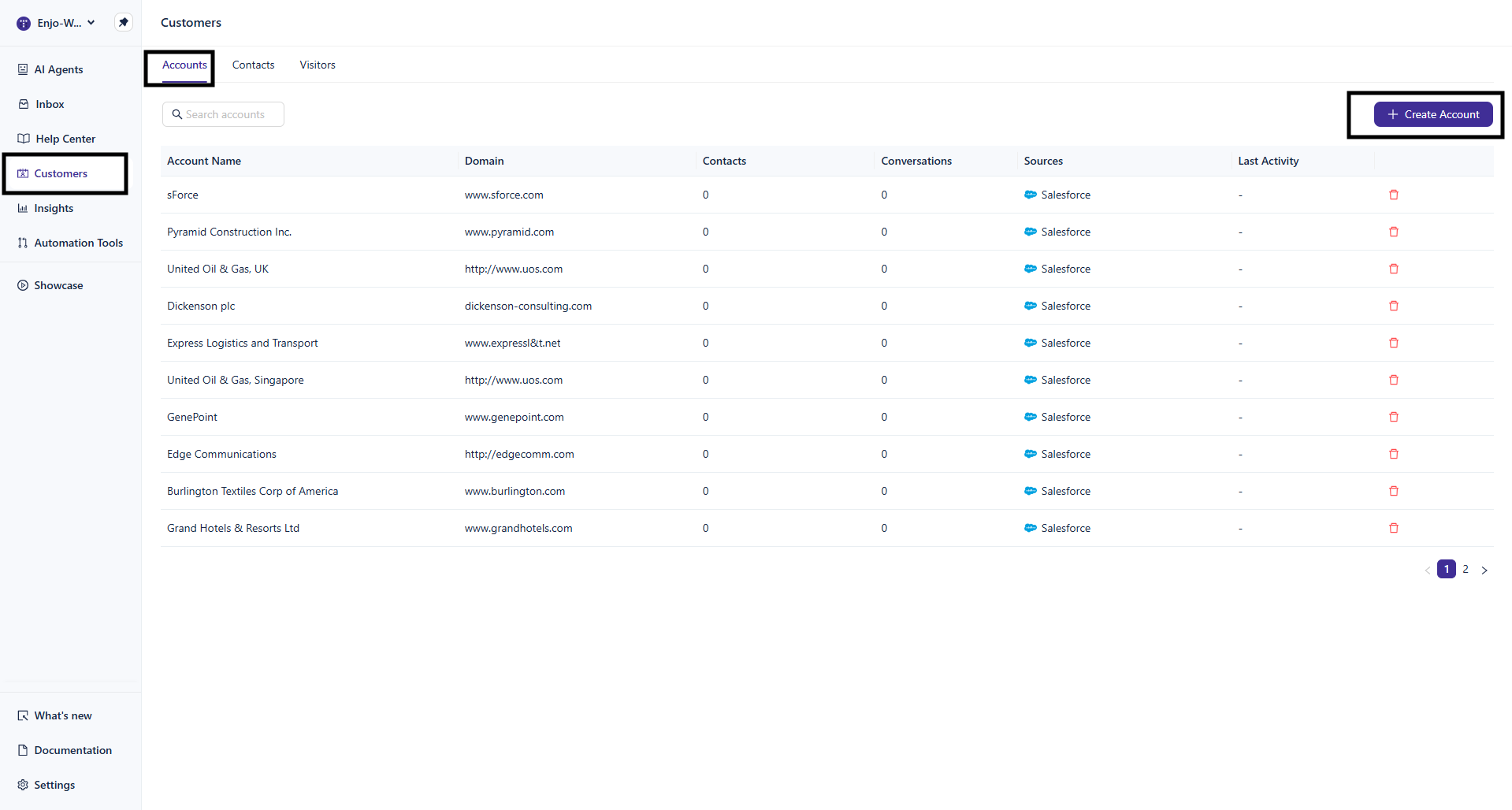
Click + Create Account in the top right.
Fill in the form:
Account Name (required) — the organization name as you want it to appear across Enjo
Domain (required) — the company website, for example
company.com. Used for identification and can help with automatic contact-to-account association.Account Manager (optional) — the internal team member responsible for this account
Region (optional) — geographic region, for example North America, EMEA, or APAC
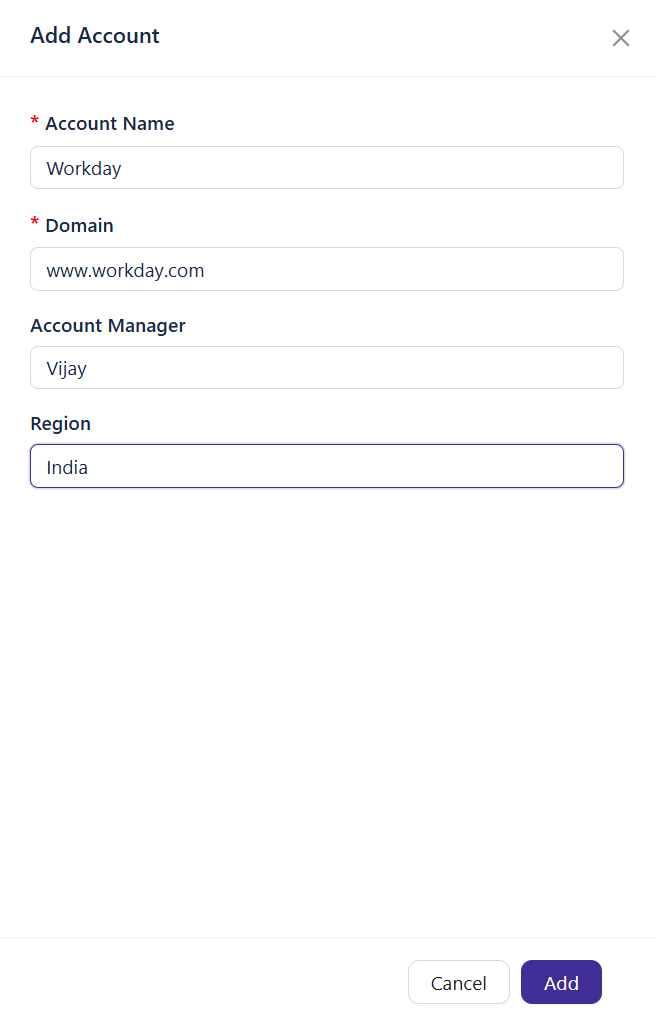
Click Add.
The account appears in the Accounts list immediately.
Edit an account
Click any account in the list to open its detail view. Select edit button.
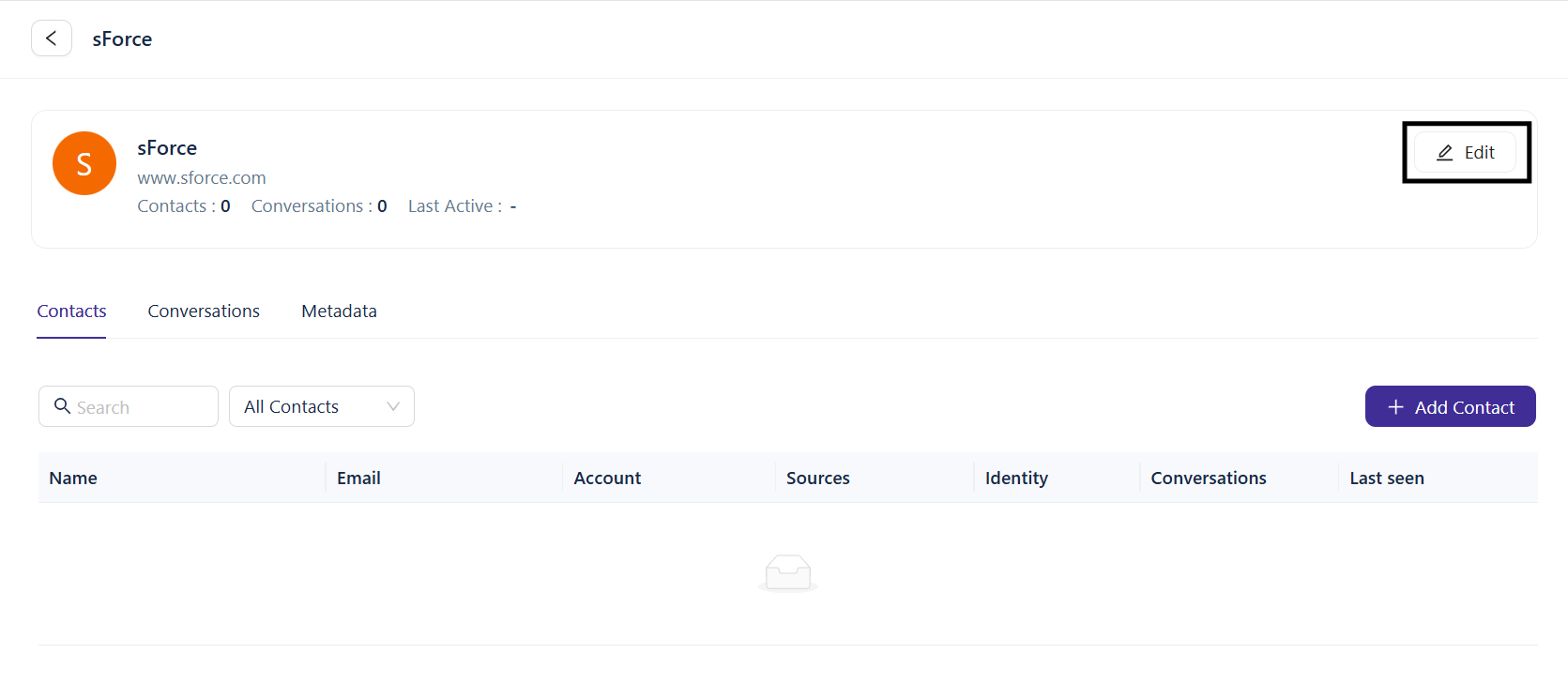
Update the account name, domain, account manager, or region.
Click on Update for saving the changes.
Delete an account
Click ··· on the account row or detail view.
Select Delete.
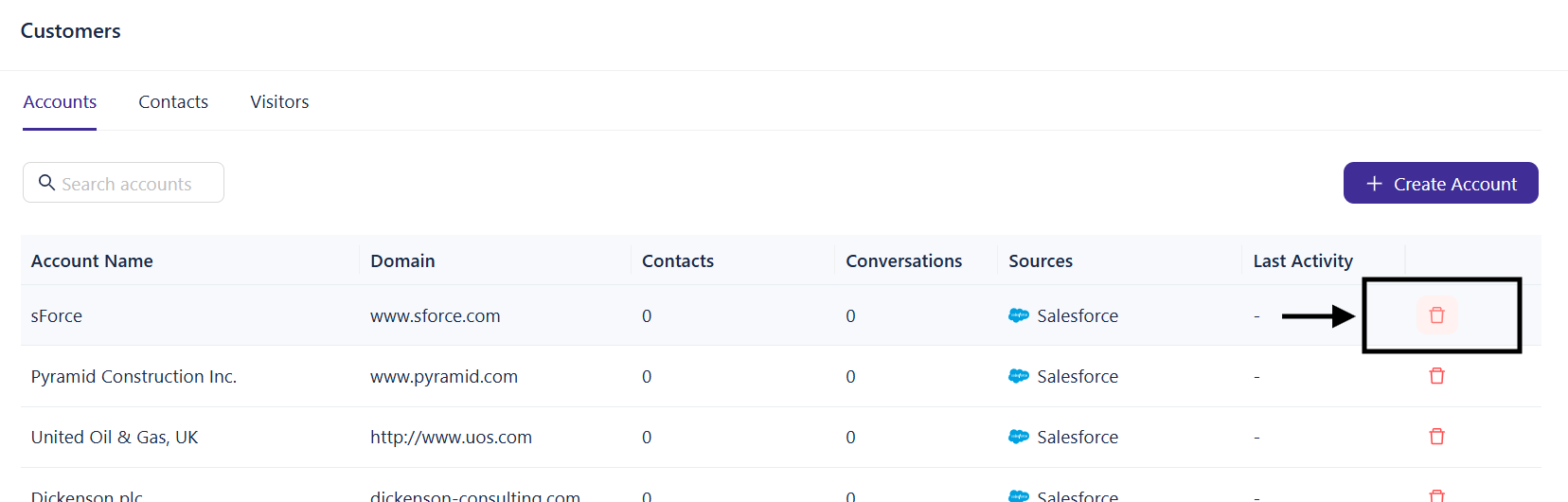
⚠️ Deleting an account does not delete the contacts associated with it. Those contacts remain in Enjo but are no longer linked to any account.
Account and contact relationship
Each contact can be associated with one account at a time. When you associate a contact with an account, the AI Agent uses account-level context name and metadata when responding to that contact. You can reassign contacts to a different account at any time.
What's next
Managing Contacts — Associate contacts with accounts and manage individual profiles.
Importing Customers — Bulk-import accounts from CSV or Salesforce.
Overview of Customers — Understand how Accounts, Contacts, and Visitors work together.