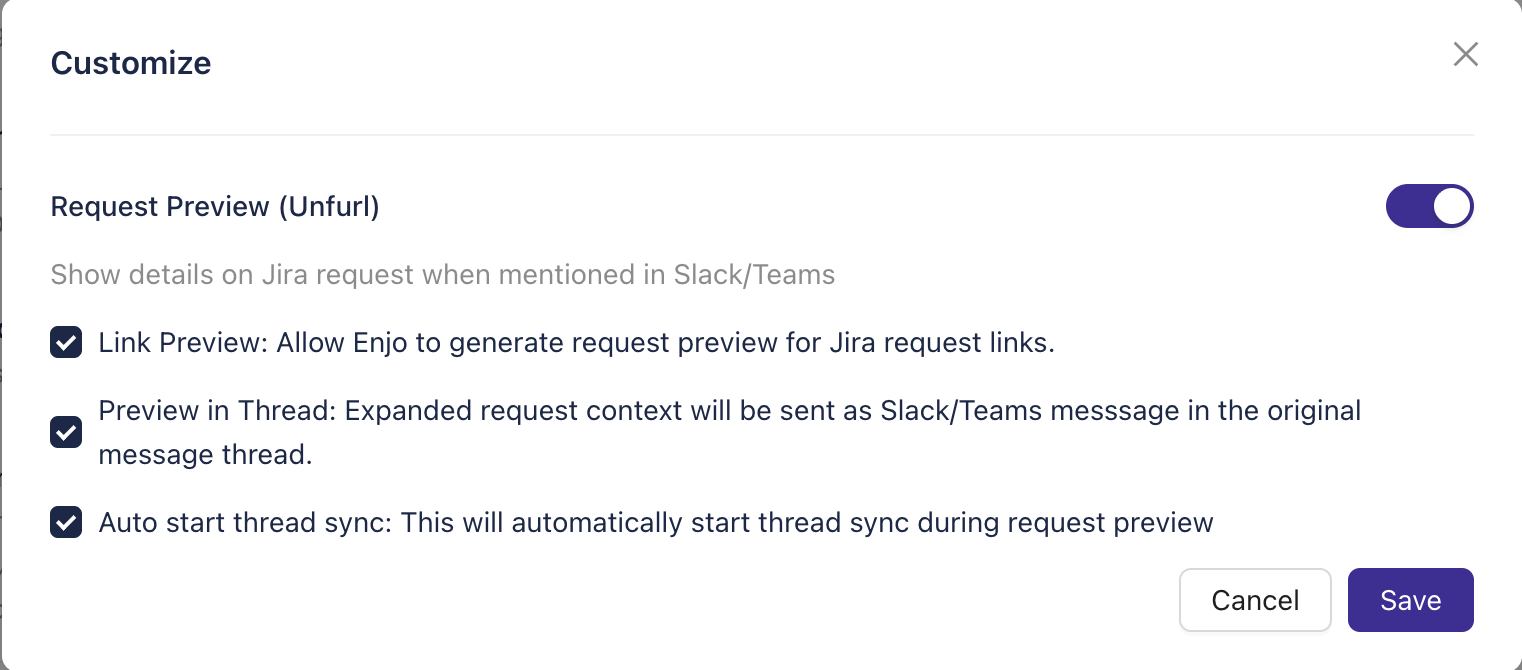
Request Preview
When enabled, Enjo automatically displays an issue preview for any request referenced by its issue key or URL within a conversation. The preview shows key details of the request, allowing users to access context without leaving the chat.
If the feature is disabled, Enjo will not display any request details when an issue key or URL is mentioned.
Administrators can optionally enable automatic thread synchronization when a request preview is generated. This ensures that any further messages in the thread are linked and synced with the referenced request.
Configuration Steps
Open AI Agent Studio -> in Enjo.
Navigate to Request Handling→ Request Preview.
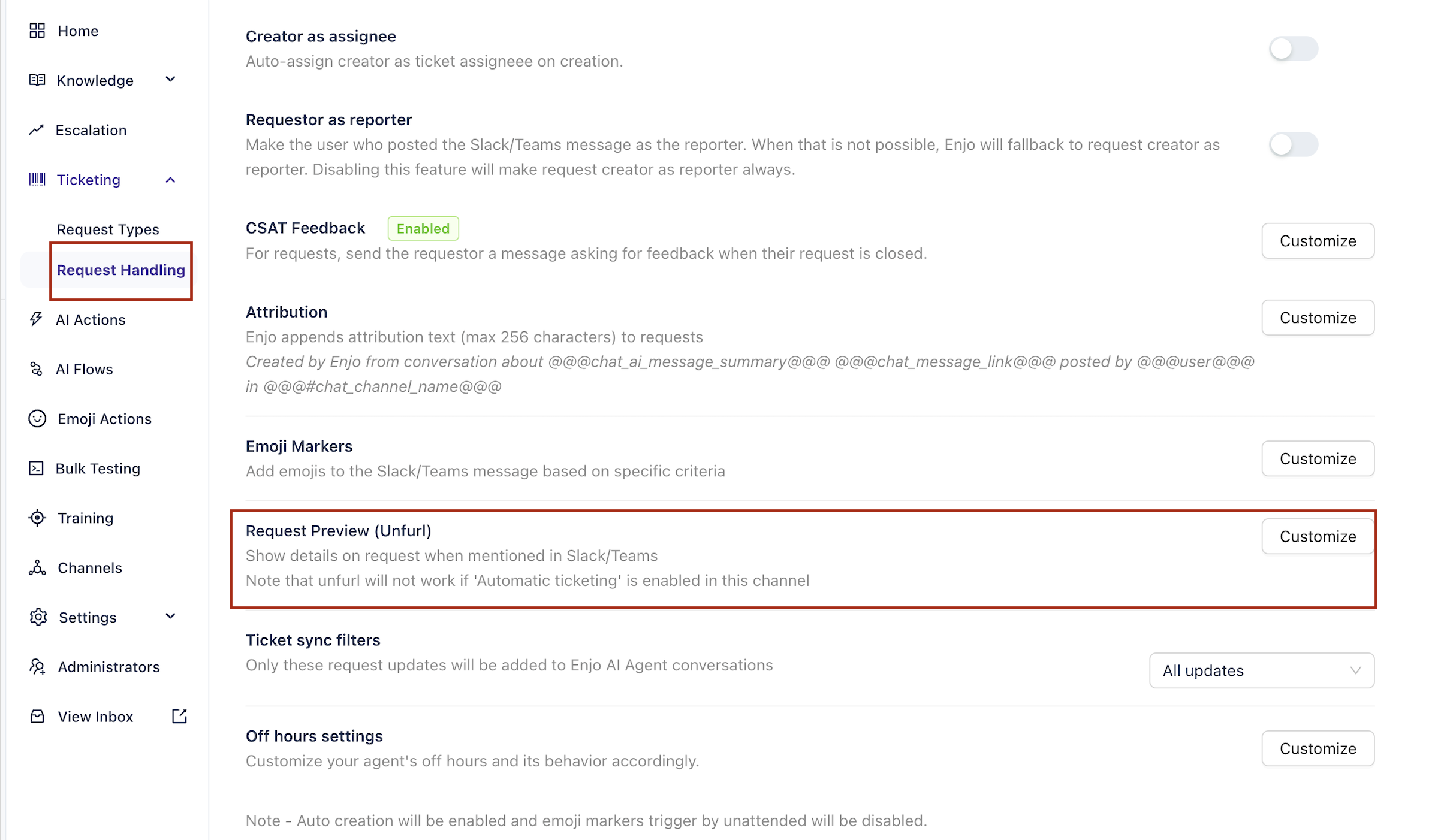
Enable Request Preview to activate automatic issue unfurling.
Save changes.