
CSAT Handling
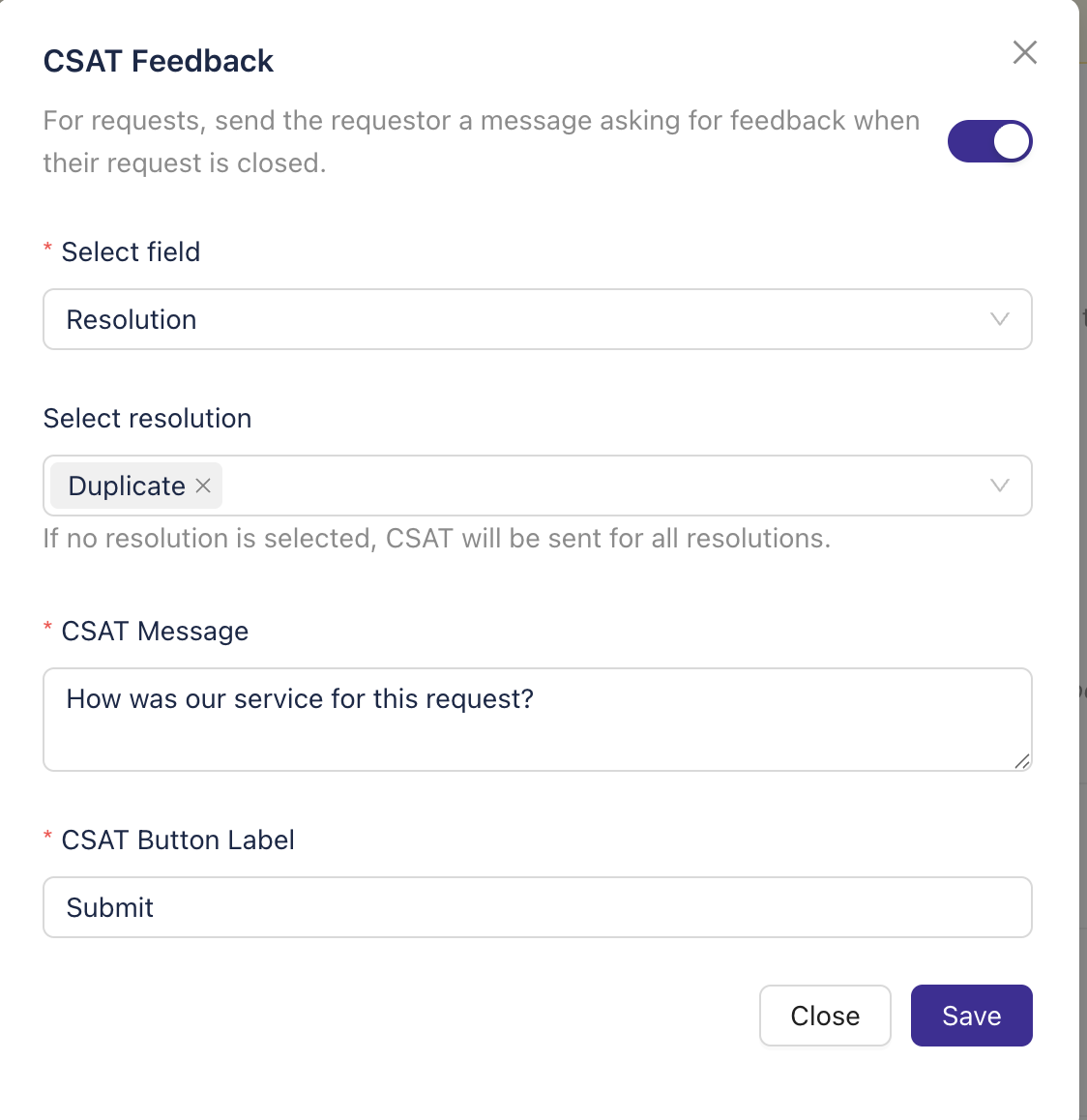
When a ticket is closed, Enjo sends the reporter a Slack or Teams message in the ticket thread requesting feedback on their support experience. The user rates the experience on a scale of 1 to 5, and the response is recorded in the corresponding Jira ticket.
How It Works
Step 1: Go to Enjo dashboard -> AI Agent Studio-> AI Agent -> Ticketing
Step 2: Click on the Customize button in CSAT Feedback section under Request Handling.
Step 3: Configure the form to enable Feedback.
Watch how CSAT works in Slack: